Every tool on the floor, in one shop system
Traffic Cop, a dashboard you build, service orders, shop floor, team chat, customer links, oil stickers, and Torque AI.
Every car ranked by the promise. The week ranked by the hours you sold.
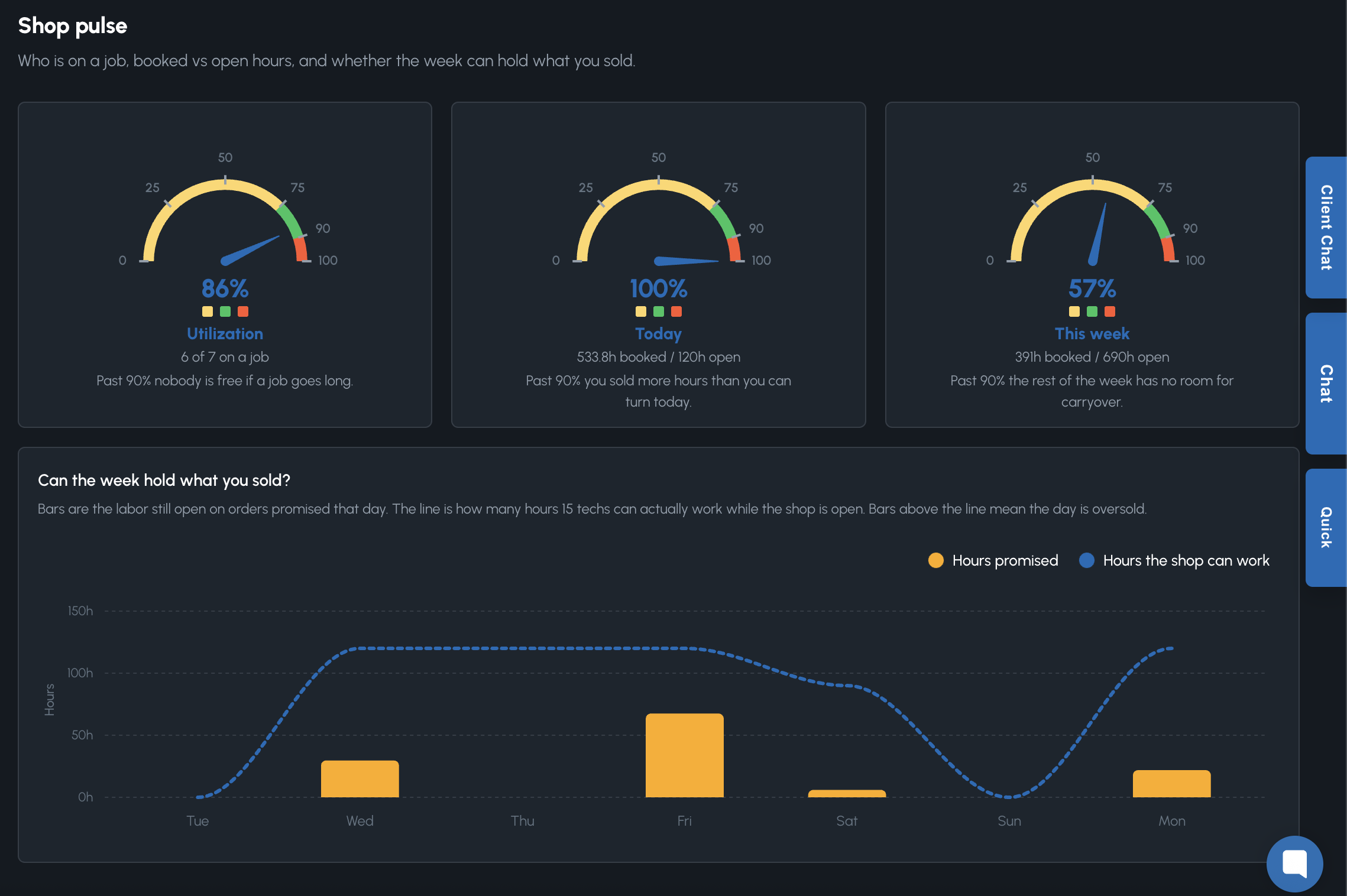
Traffic Cop orders the queue. Shop pulse shows who is on a job, booked vs open hours, and whether the week can hold what you sold.
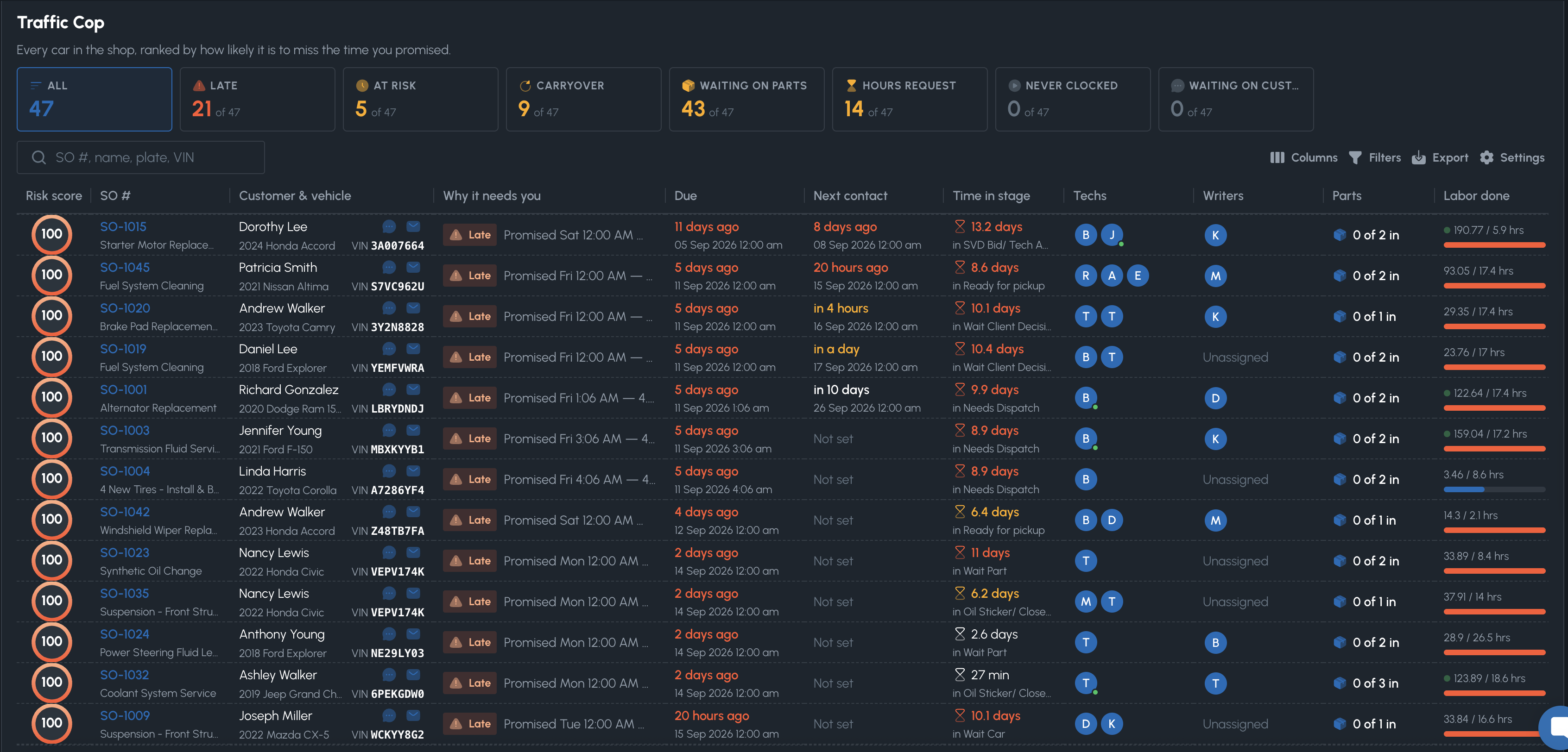
- Risk score plus a plain-language “why it needs you”
- Due time next to next contact, so follow-up is visible
- Filters for late, at risk, waiting on parts, hours requests
- Message a tech from the grid without leaving the service order
- Shop pulse: utilization, today, this week, and hours promised vs hours you can work
- AI bottleneck help on the cars that are actually stuck
Pin the widgets. Drag the layout. Open it every morning.
29 widgets in Add widget — KPIs, charts, and tables. Pin them, drag them, resize them. The layout stays yours.
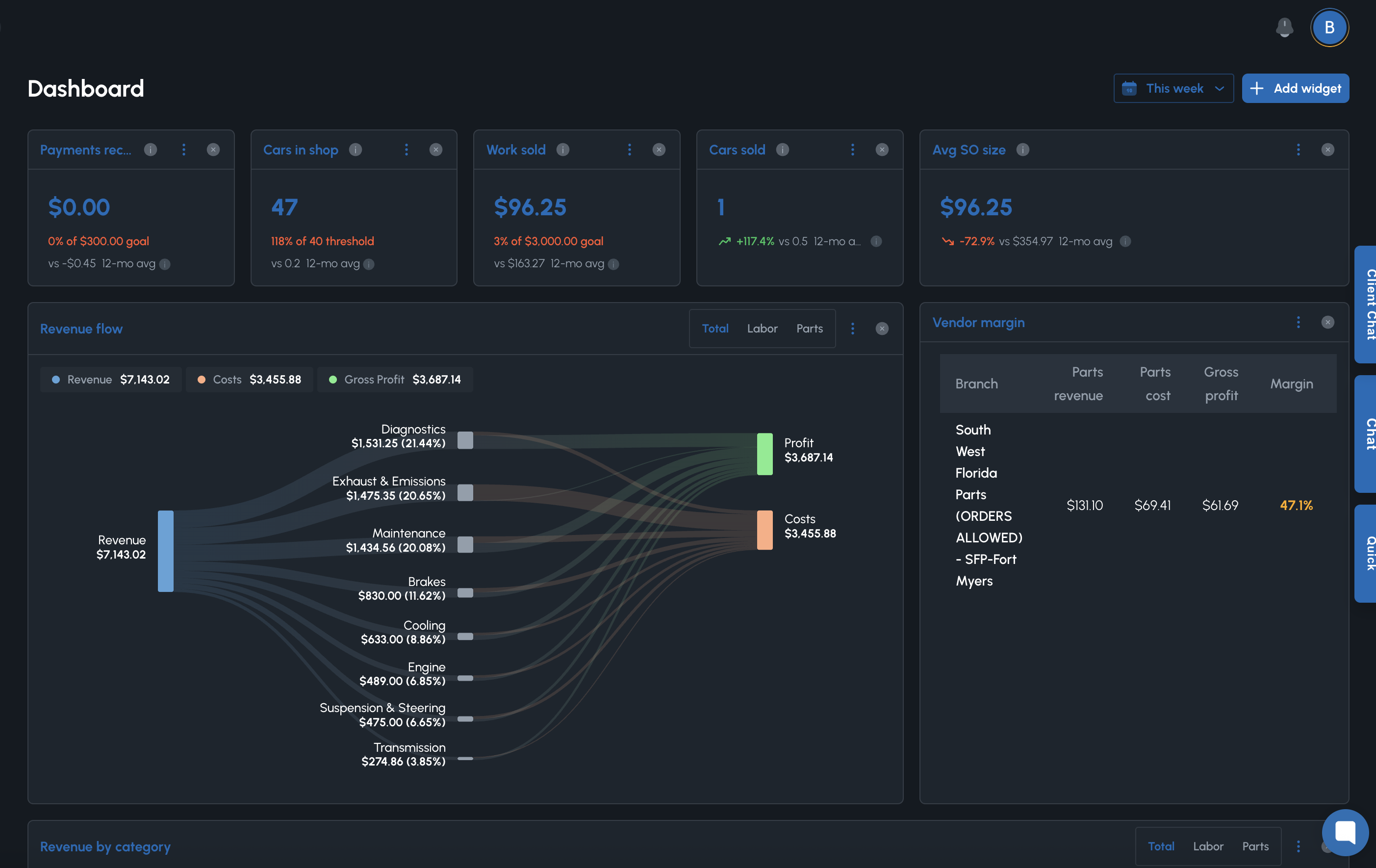
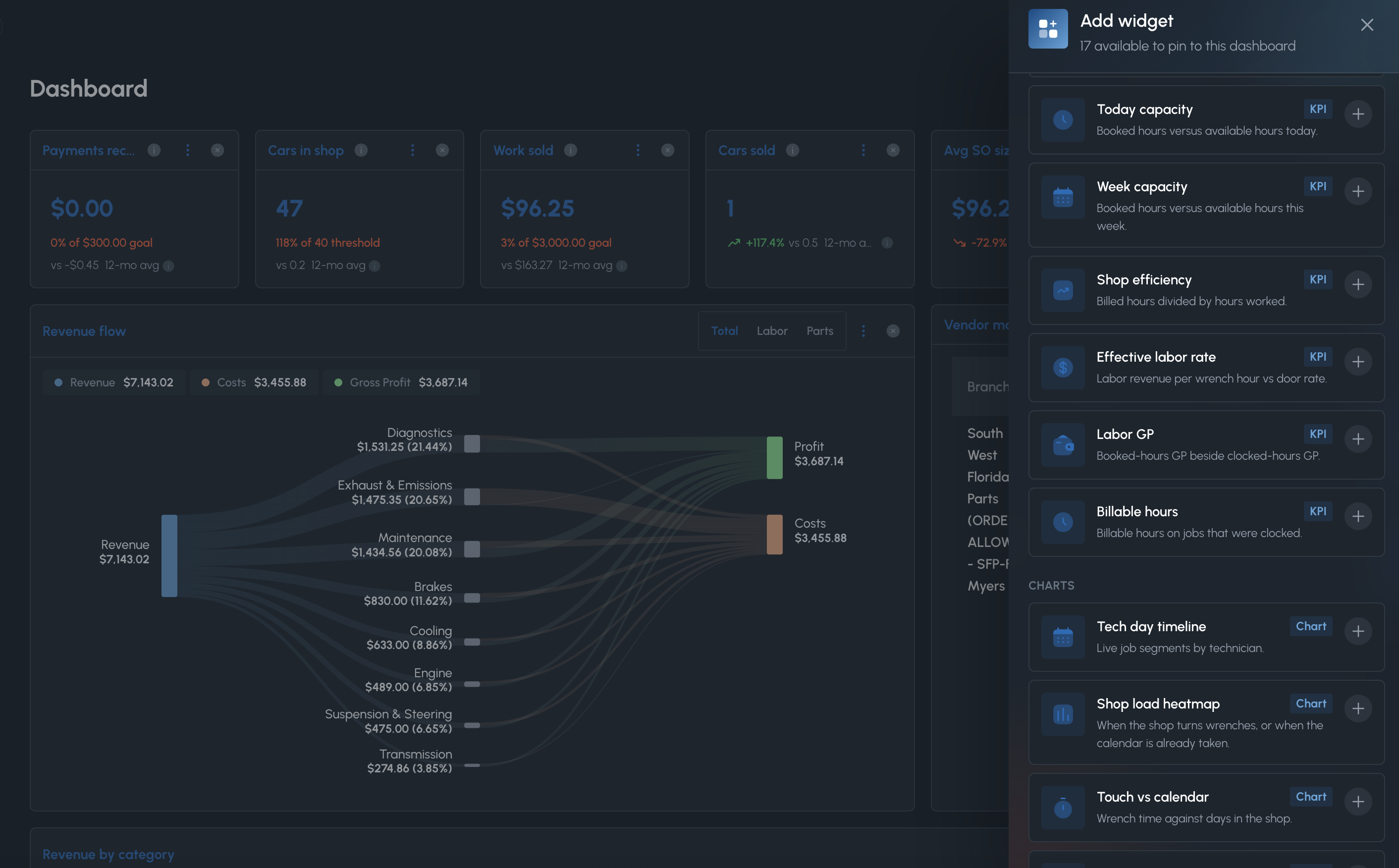
- 29 widgets in Add widget, grouped as KPI, Chart, and Table
- Drag any tile, resize it on the grid
- This week on the page, or a custom range on one widget
- Goals next to the 12-month average
- Owners see money widgets. Writers see the floor — capacity, heatmap, promise risk, dwell
- Layout saved to you on this account
The service order is the job record
Inspect, build, send a link. Writers still own the service order.
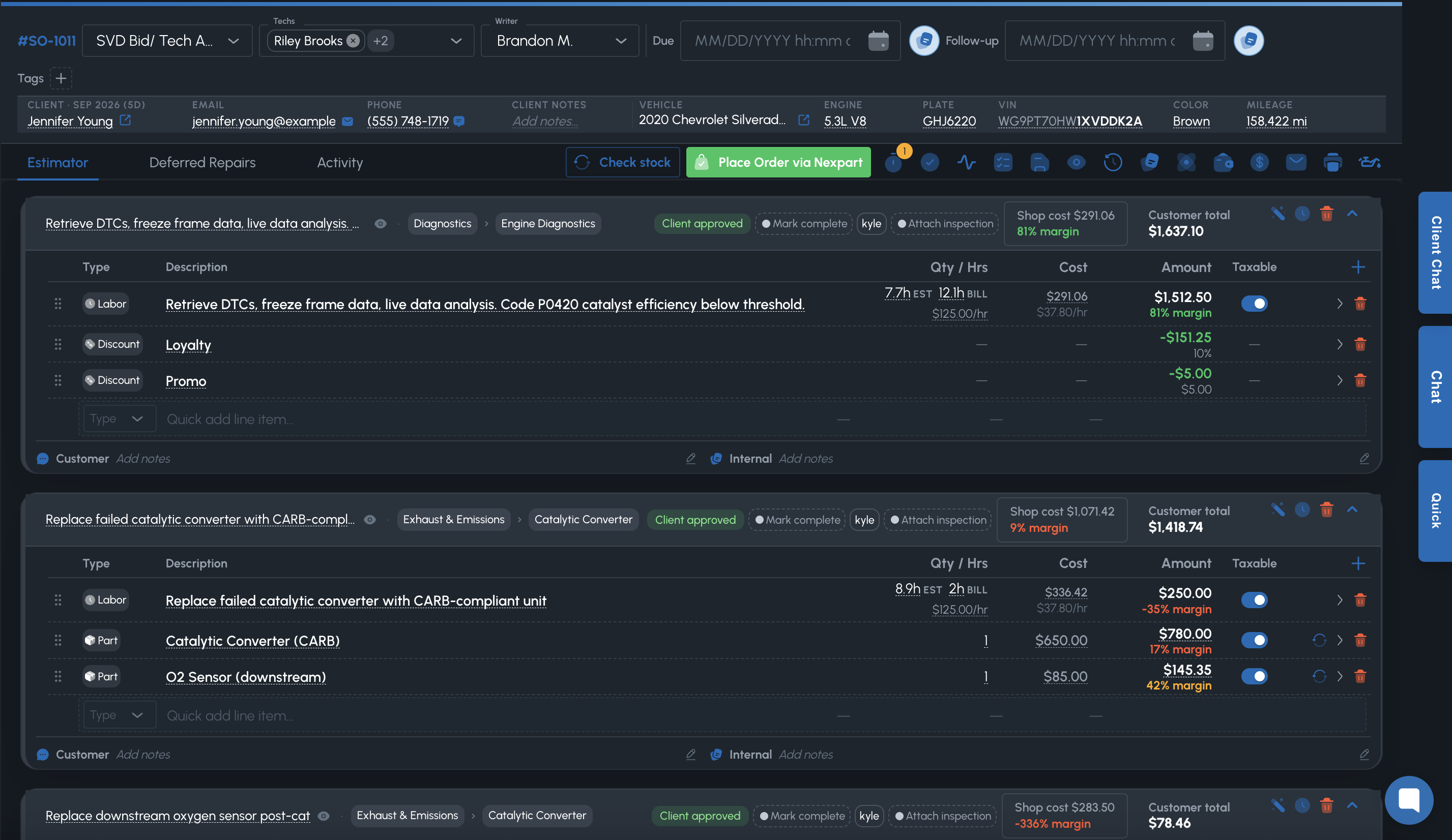
- Canned jobs and inspection forms on the same service order
- AI can help draft on the service order. Writers still own it.
- Parts punch-out and transfer through Nexpart
- Deferred work stays on the vehicle for the next visit
- Customer approves on a public link
- Labor and parts sit on the same service order the customer sees
Clock the hours you sold
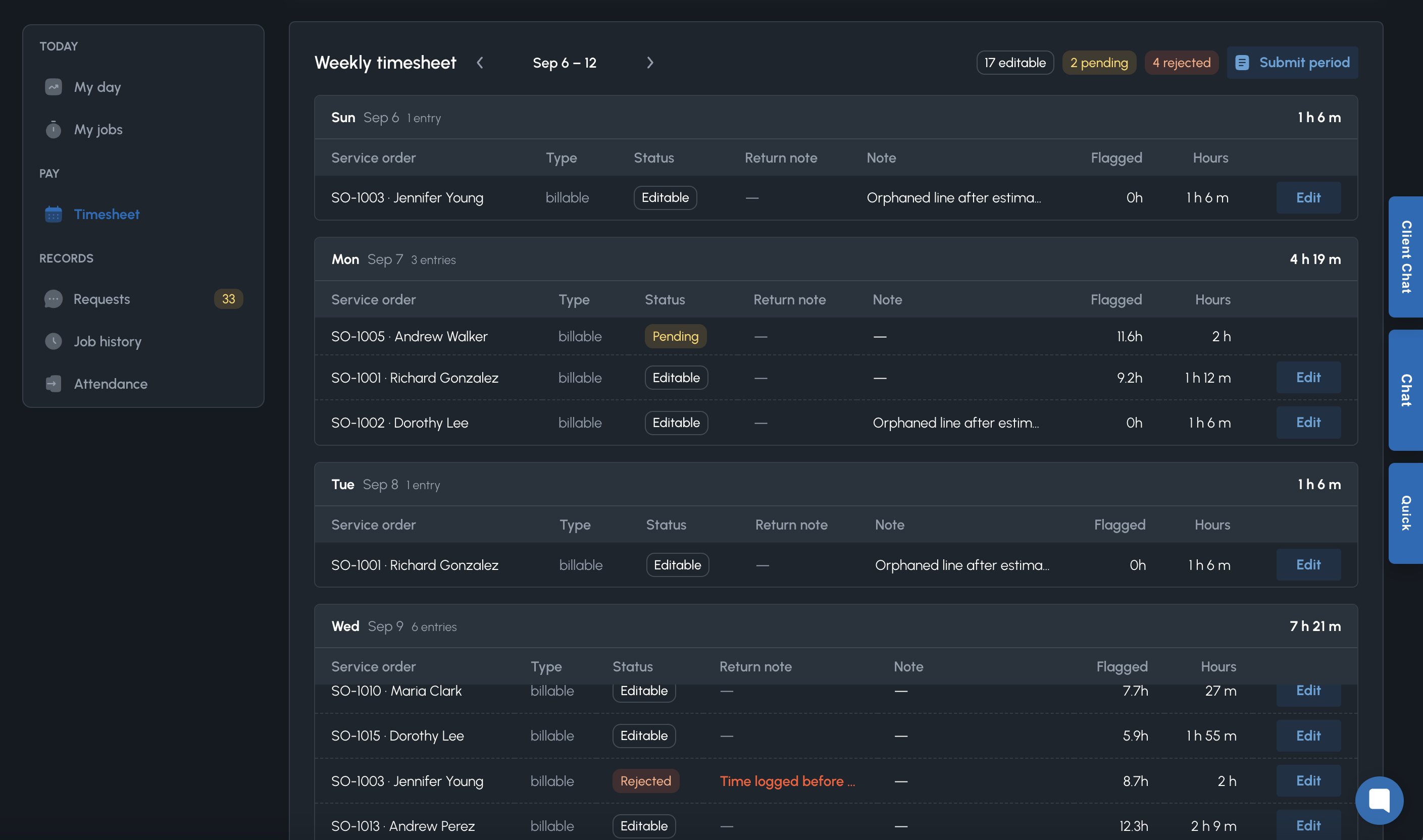
My day shows what to start next. Timers track sold hours. Extra time goes through a writer’s approval, then the timesheet.
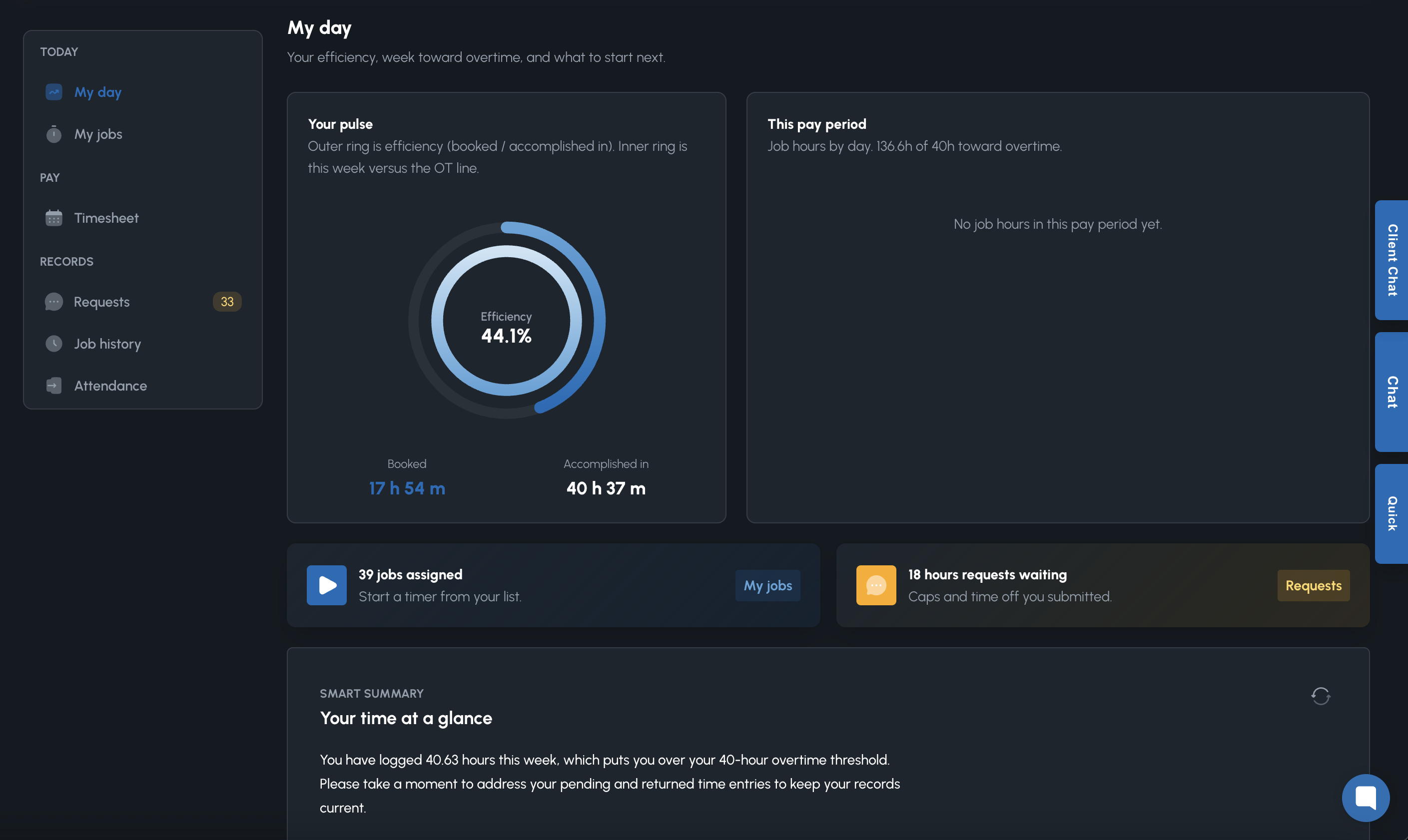
- Timers on assigned labor, against approved caps
- Hours requests when the job needs more time
- Timesheet review and sign-off for the pay period
- Attendance and job history in the same place
- Writer labor approvals stay visible
- Efficiency and overtime context on My day
Talk to the shop without leaving the service order
Writers and techs message on the job. Type /serviceorder or /client to drop a live link into the thread.
- Link a service order with /serviceorder — hover the pill to preview the job
- Mention a customer with /client
- 1:1 or the techs on the job, from Traffic Cop
- Real-time typing, on the people in the shop
- Client SMS stays a separate customer thread
- The job stays in the message
Pages they open. Texts when you need a thread.
Lead with the tracker and the booking link. Service order approval and pay-by-link sit alongside them. SMS carries those links when you need a conversation.
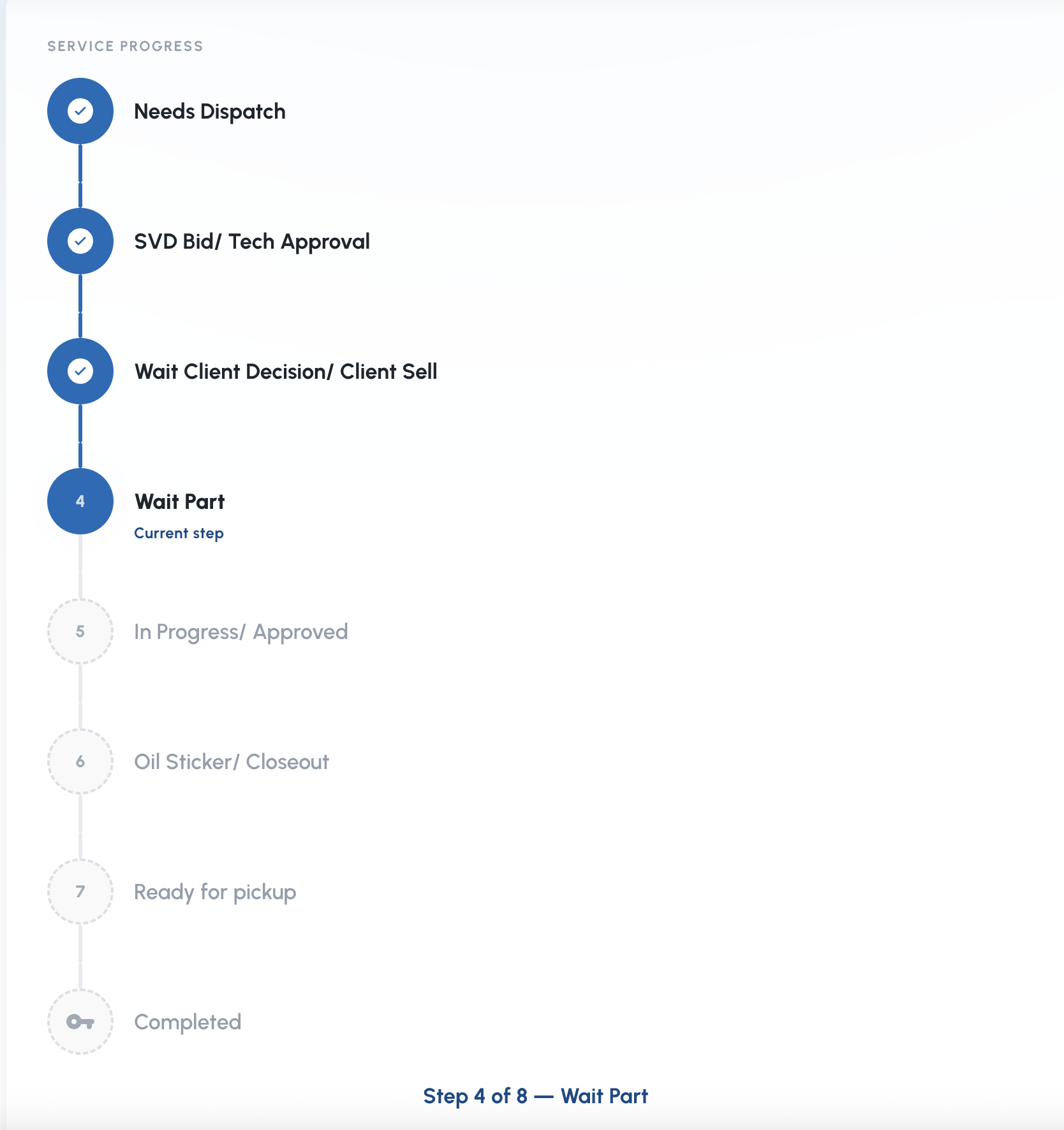
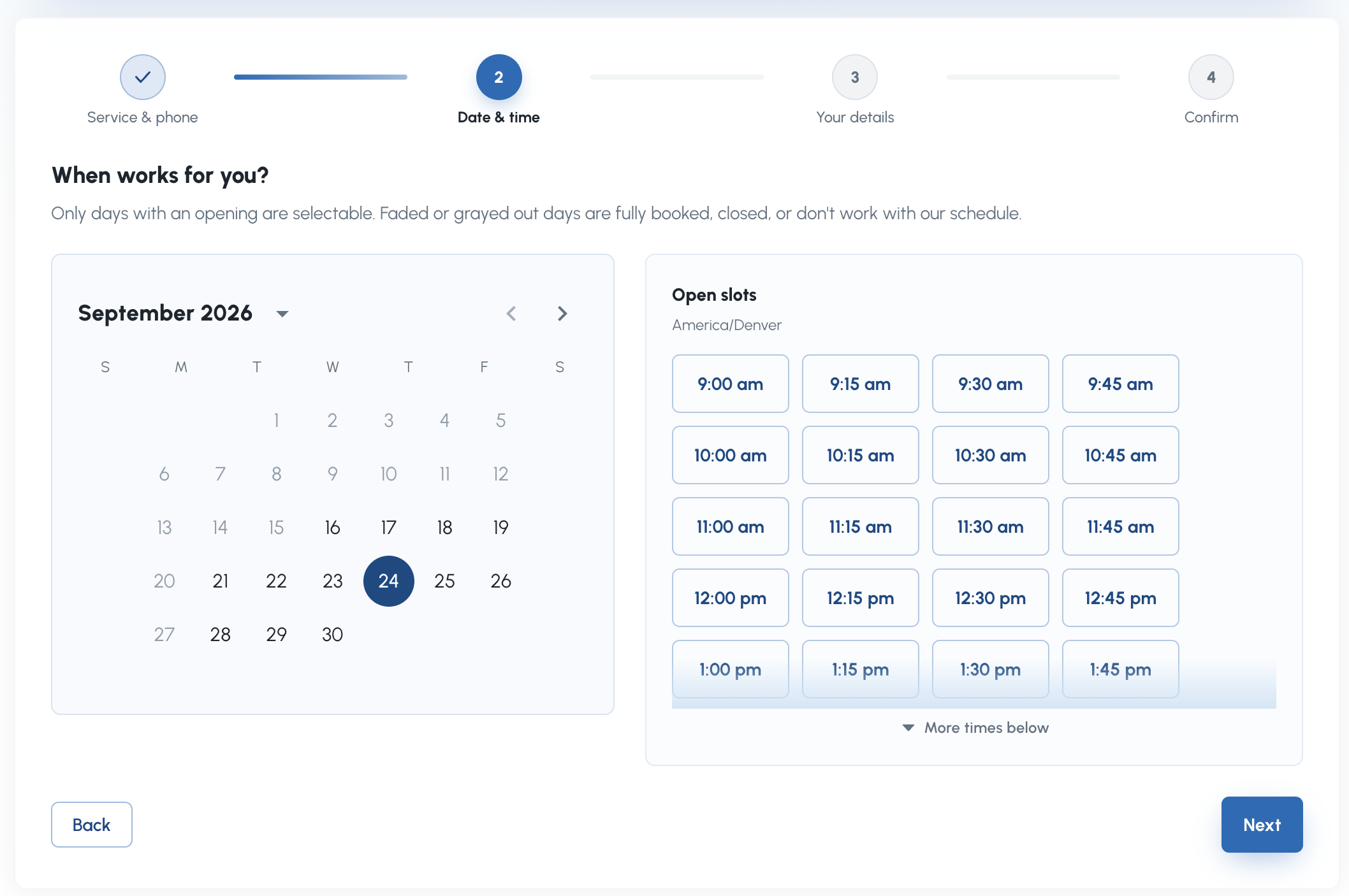
- Branded tracker so they stop calling for status
- Online booking on the shop’s hours and openings
- Service order approval on a public link
- Pay-by-link when the invoice is ready
- 1:1 client SMS when a conversation is required
- Automated texts that send those links
Design the sticker. Print it from the job.
Shops print these all day. Design the layout, then print from the job.
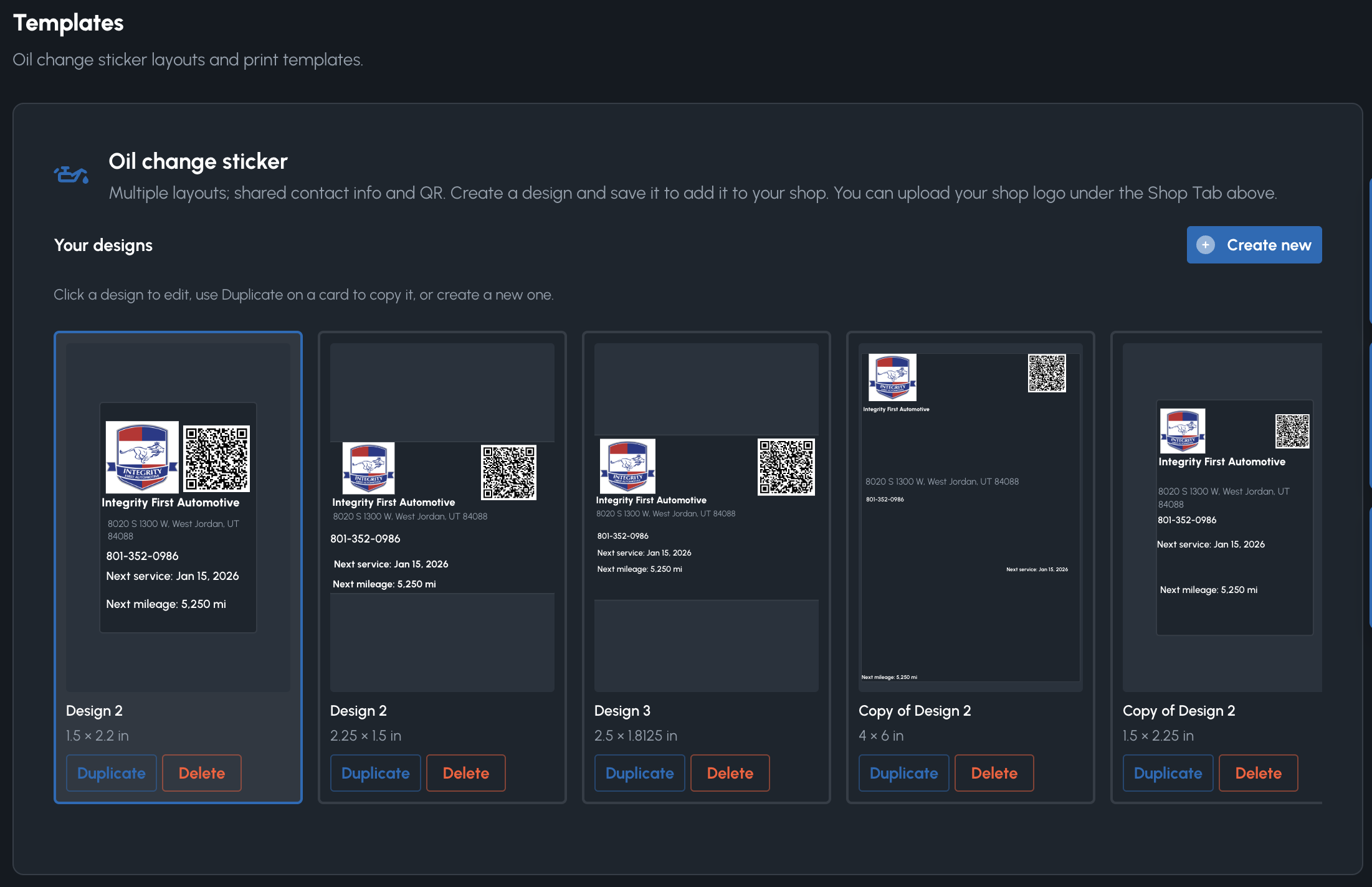
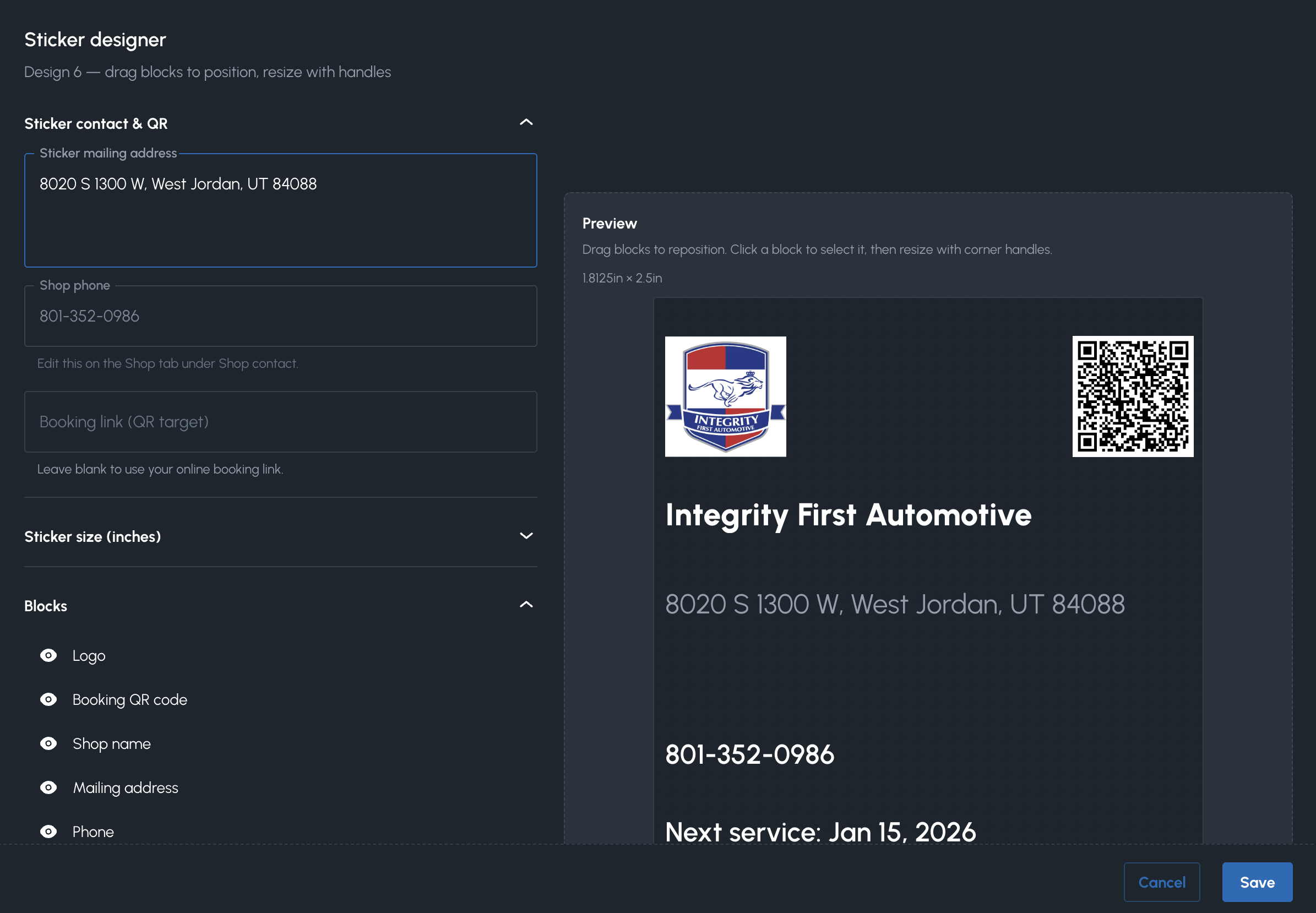
- 1–10 named templates per shop
- Real thermal sizes: 1.8125×2.5 through 2.5×3 in
- Drag-layout blocks: logo, name, address, phone, QR
- Next-service date and miles from interval presets
- Booking QR points at the same public booking product
- Print from the service order when the oil change is done
It proposes. The shop approves.
A shop performance overview, then a queue of actions you approve: follow-up, payment nudge, deferred reminder, next contact.
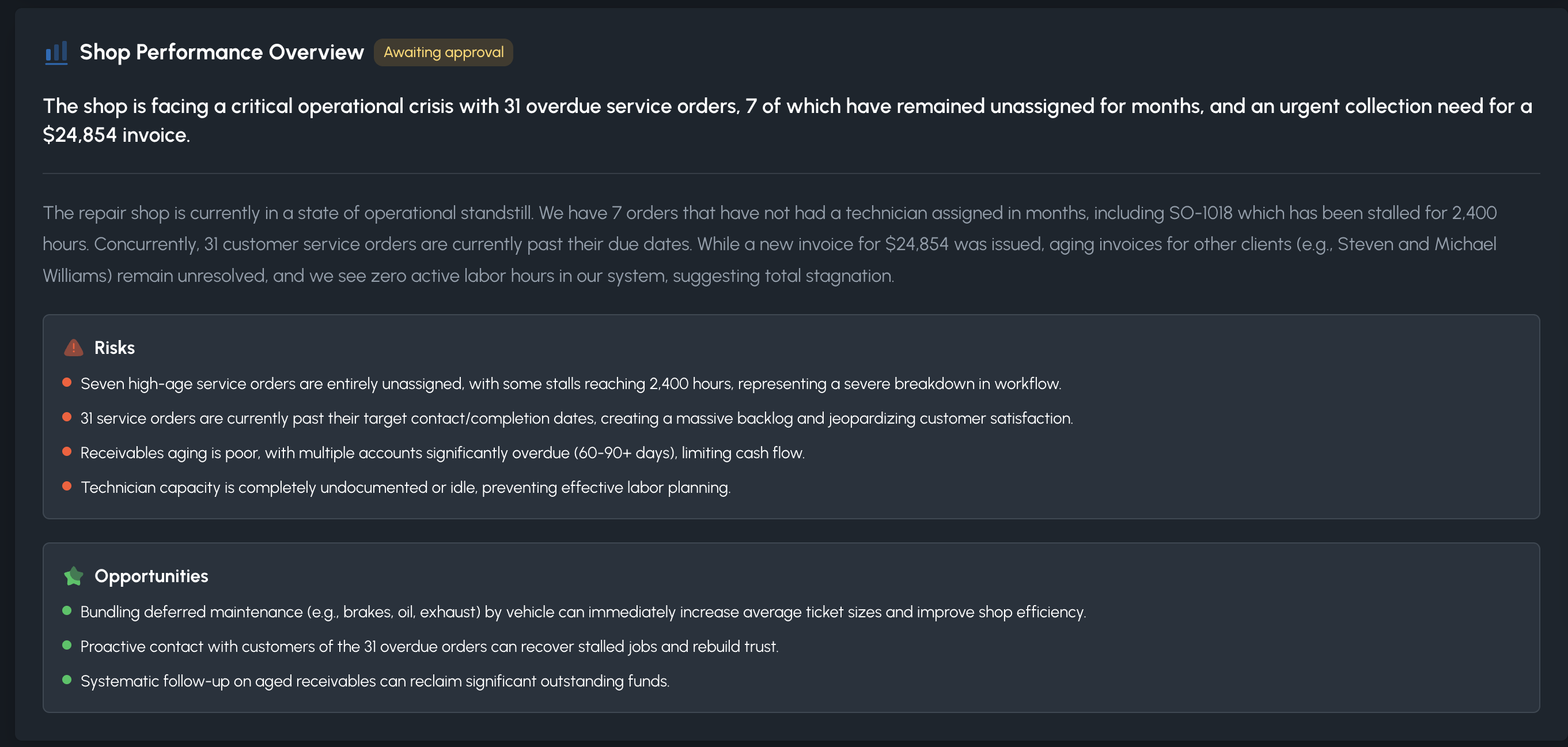
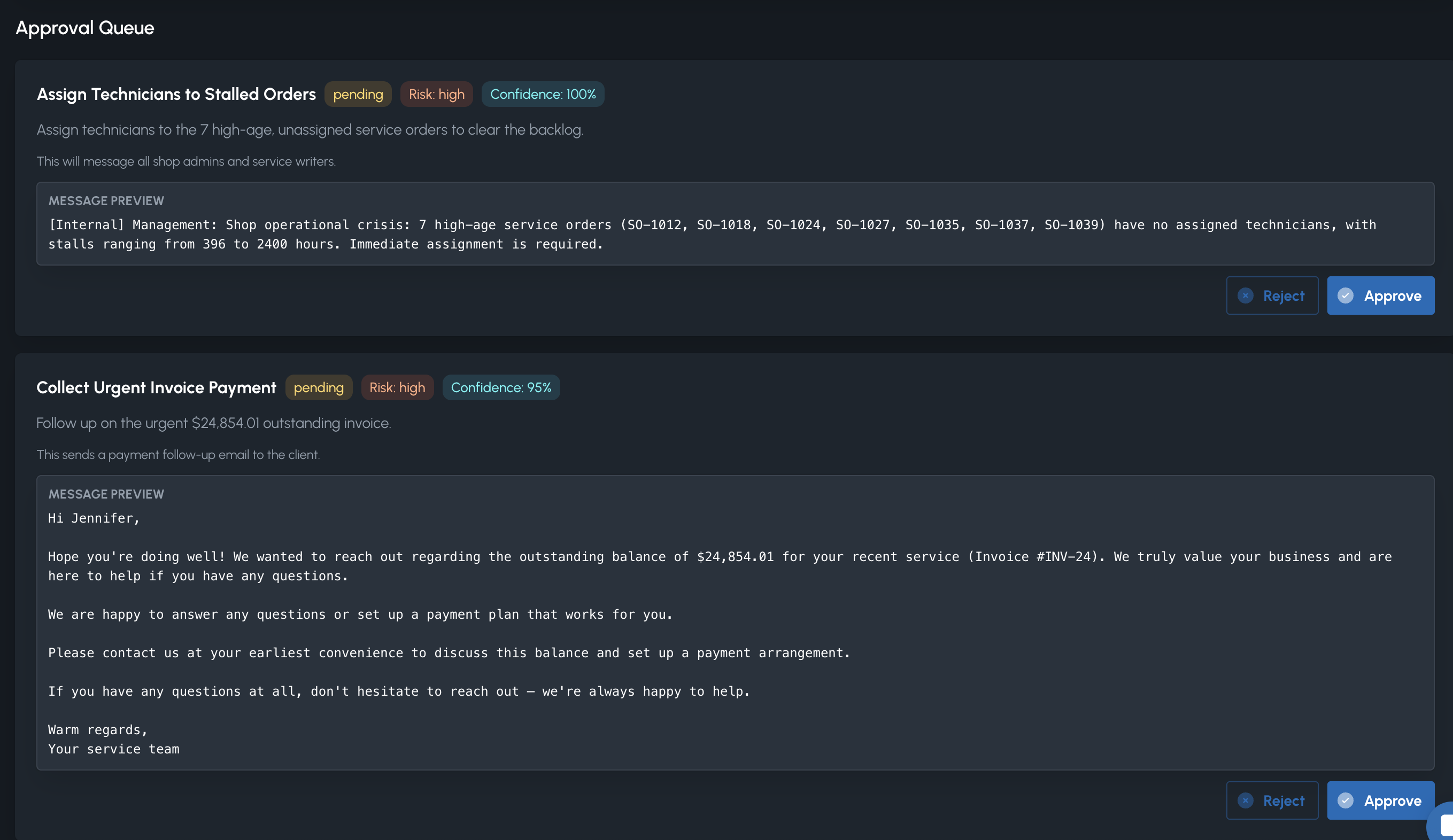
- Shop overview run before you start the shift
- Assistant when you want to ask about the queue
- Human approval on every outbound action
- Follow-up on open orders that are going quiet
- Payment nudge and deferred-work reminder
- Set the next contact date — you still own the customer
Columns the shop defines. A calendar the floor can trust.
Shop-defined columns including ready-for-pickup and completed, plus the shop calendar and tech day planner.
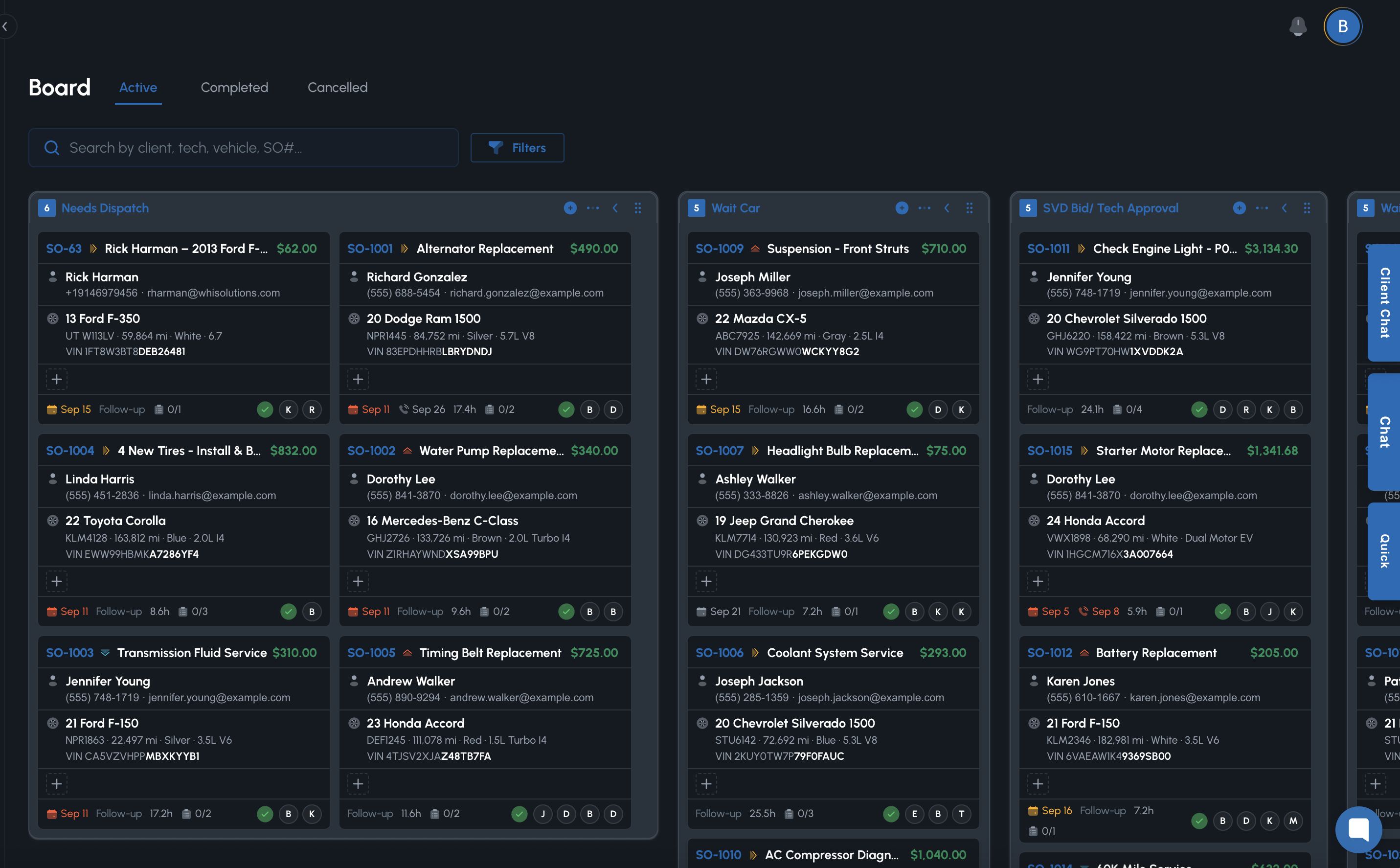
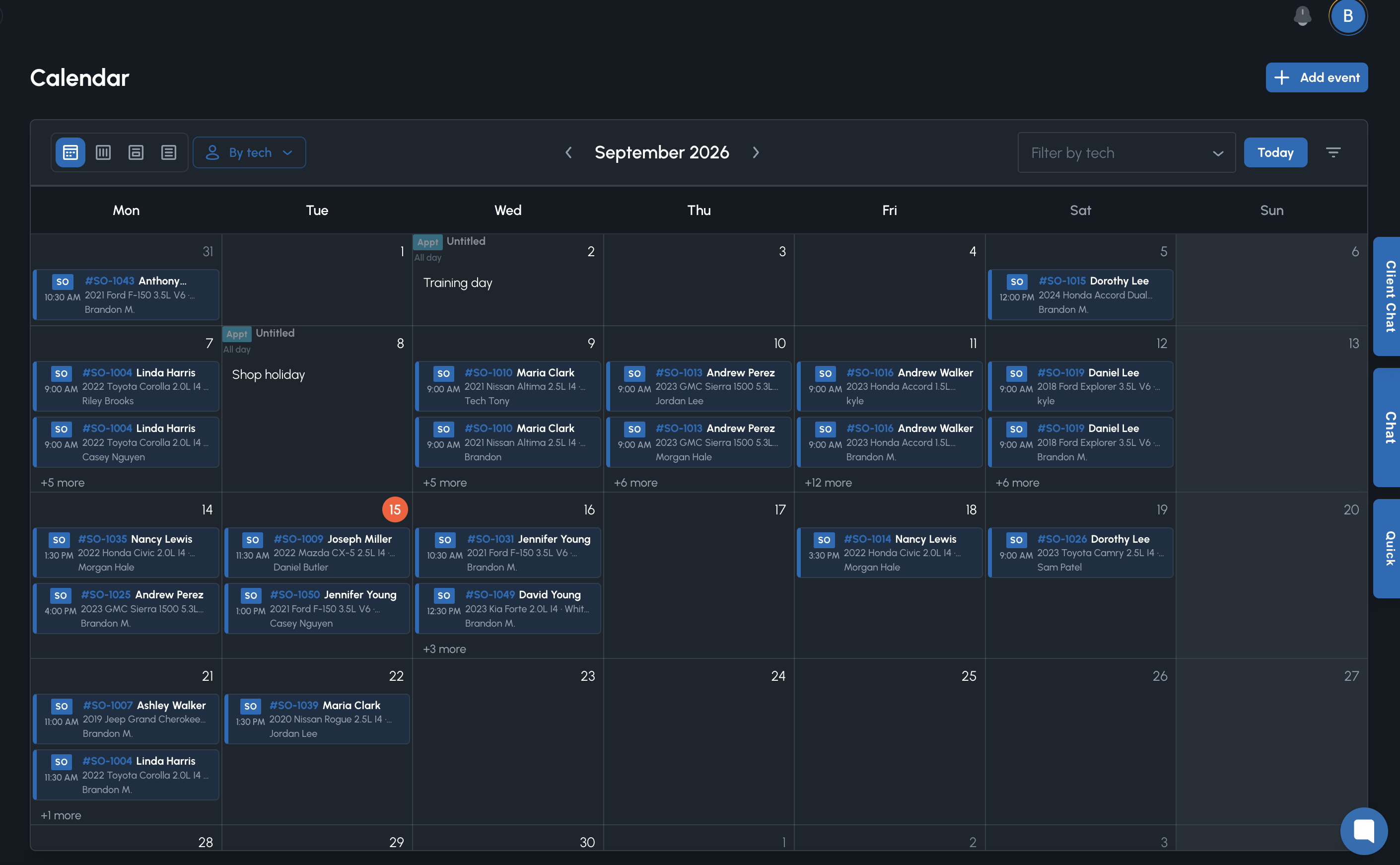
- Shop-defined workflow columns you can rename
- Ready-for-pickup and completed live on the same board
- Shop calendar for appointments and promised times
- Tech day planner next to Shop floor
- Tracker steps can follow the columns you enable
- Traffic Cop still ranks risk even when the board looks calm
Invoice what was approved. Collect on a link.
Invoices from approved work, payments, labor and parts matrix, taxes and fees.
- Invoices built from the approved service order
- Pay-by-link for the customer who is not standing at the counter
- Labor rates and parts markup in a matrix you control
- Taxes and shop fees on the service order
- The dashboard carries the numbers for the day you just ran
- Time on the floor stays tied to sold hours
Make it look and behave like your shop
Branding, hours, booking, tracker steps, Nexpart, and time-tracking rules. Oil stickers have their own module above.
- Shop name, logo, and contact used on stickers and public pages
- Hours that drive the booking calendar
- Tracker steps that match how you talk about the job
- Nexpart connection for punch-out
- Time-tracking rules for caps, overtime, and sign-off
- Role permissions for who can approve labor and money
Ready to run the shop in Torqy?
Early access includes onboarding priority and founding customer pricing.
Get Early Access Now